
Industry guides · 4 min read ·
IT setup checklist for schools & colleges in Kerala
Setting up or upgrading a school's IT? Computer labs, staff systems, safe campus WiFi, and budgets — the complete checklist for Kerala schools and colleges.
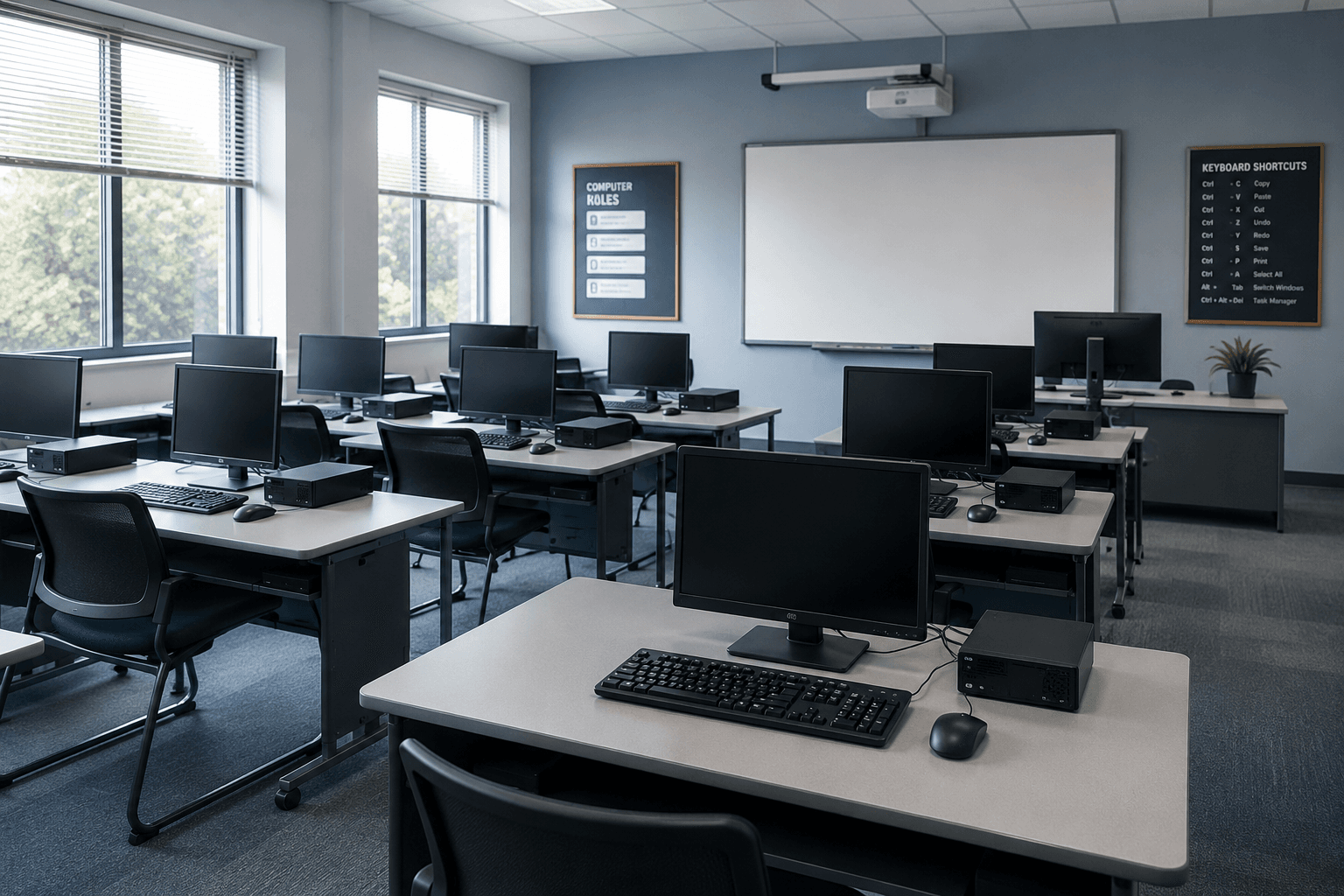
A school's IT has to serve two very different worlds on a fixed budget: labs full of students, and offices full of staff. Get it right and both run smoothly all year; get it wrong and you lose class time to broken machines and staff time to systems that fight them. Here's the complete checklist we use when setting up or upgrading IT for schools and colleges across Kerala.
Step 1 — Plan around the timetable, not the tech
Before buying anything, map how the IT will actually be used: how many students per lab session, which subjects need computers, how many staff need workstations, and where the network has to reach. A lab that's busy every period needs different planning from one used twice a week. This step decides everything after it.
Step 2 — Computer lab hardware
The heart of a school's IT. Decisions here:
- New vs refurbished — for most lab work, quality refurbished business-class machines are the right call. They cost far less than new consumer laptops, are built tougher, and let you equip more seats per rupee.
- Desktops vs laptops — desktops are cheaper, harder to walk off with, and easier to service. Laptops offer flexibility for shared spaces. Many schools mix both.
- Standardise — buy the same model across the lab so spares, imaging, and repairs are simple.
We supply lab hardware in bulk with GST invoicing — see our computer hardware page for what that covers.
Step 3 — Staff and administration systems
Office staff, the principal, and administration need reliable workstations, a shared way to store records, and email on the school's own domain. This is where Google Workspace for Education usually fits — free or low-cost tiers for schools, with email, shared drives, and classroom tools. We handle licensing and setup as part of our software services.
Step 4 — Campus network and safe WiFi
This is where schools most often cut corners and regret it. You need:
- Coverage across blocks, floors, labs, and staff rooms — not one router struggling to reach everywhere.
- Content filtering so students stay on appropriate content.
- Segmentation so student devices are on their own network, completely separate from staff and administration systems.
A segmented, filtered campus network protects both students and school records. See our networking page for how we design campus WiFi.
Step 5 — Backups and protection
Exam records, student data, staff files — none of it should live in one place. Automated, encrypted backups mean a failed drive or a ransomware hit is an annoyance, not a disaster. Set this up on day one, not after the first scare.
Step 6 — Ongoing maintenance
A lab that's half-broken wastes whole class periods. An AMC keeps labs, staff systems, and the network running through every term, with spares configured and priority response when something fails. For a school, this is the difference between IT that's invisible and IT that's a constant fire.
Rough budget for a Kerala school
| Item | Typical range |
|---|---|
| 20–30 seat computer lab (refurbished) | ₹6,00,000–12,00,000 |
| Campus network + filtered WiFi | ₹1,00,000–4,00,000 |
| Staff workstations + Google Workspace setup | ₹50,000–2,00,000 |
| Backup + security setup | ₹30,000–80,000 |
| AMC (annual) | ₹50,000–2,00,000/year |
These are indicative — final numbers depend on student numbers, campus size, and specs. We quote fixed prices after a site visit.
The pattern
Every point above serves one goal: labs that work in every period, staff systems that hold up, and a network that's safe for students and protected for the school — all on a budget that respects how schools are funded.
See how we support IT for schools and colleges, or WhatsApp us your student numbers and campus size and we'll come back with an honest plan.
Frequently asked
Common questions on this topic.
Keep reading
More from the ITSolute blog.
IT setup checklist for logistics companies in Kerala
Running a logistics or transport operation? Branch connectivity, dispatch systems, always-on networks, and integrations — the complete IT checklist for Kerala logistics firms.
IT setup checklist for retail shops & restaurants in Kerala
Opening a shop or restaurant? POS and billing, reliable networks, CCTV, and multi-branch reporting — the complete IT checklist built for Kerala retail and food businesses.

IT setup checklist for real estate offices in Kerala
Opening or scaling a real estate office? Branch hardware, a CRM that fits how you sell, WhatsApp lead capture, and multi-branch systems — the complete IT checklist for Kerala real estate firms.