
Industry guides · 7 min read ·
IT setup for a new clinic in Kerala: the only checklist you need
Opening or renovating a clinic? Here's the complete IT checklist — hardware, software, network, billing, patient privacy — built specifically for Kerala medical practices.
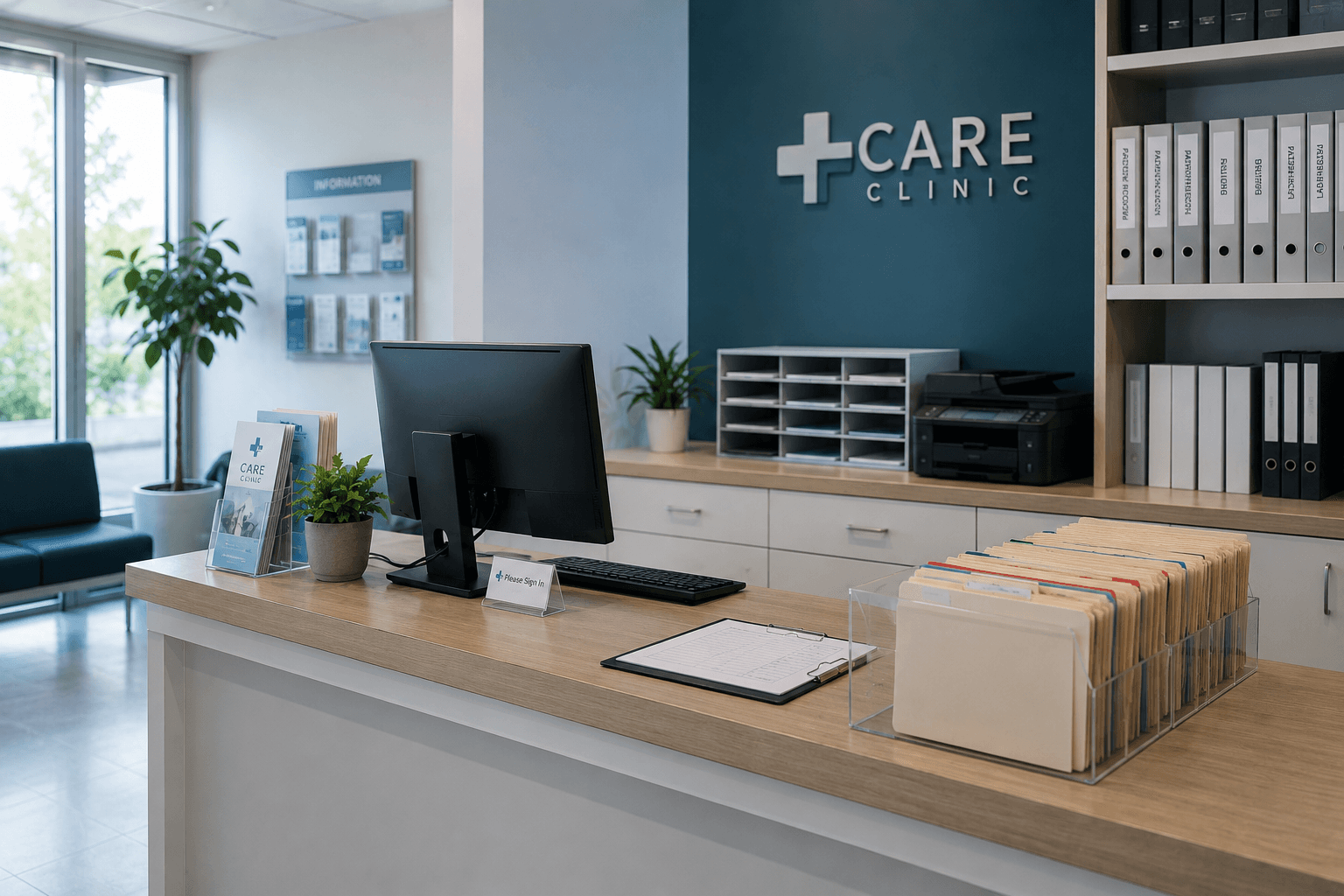
Opening a clinic — or renovating one — comes with a thousand decisions. IT is the one most owners under-plan and quietly regret for years.
Get it right at setup and you'll forget the network exists. Get it wrong and every month brings a new fire — billing crashes during peak hours, lost patient files, ransomware risks, staff frustrations.
Here's the checklist we use when we set up IT for a new clinic in Kerala. Built from doing this work for Kottayam, Kochi, and Pathanamthitta clinics over the years.
Step 1 — Reception and billing
The reception PC is the most-used and most-exposed computer in the clinic. Treat it accordingly.
Hardware:
- Business-class desktop or compact mini-PC (not a consumer all-in-one)
- 23"-27" anti-glare monitor (eye strain matters when staff stare at it 9 hours a day)
- Comfortable keyboard and ergonomic mouse
- Thermal printer for receipts (Epson TM-T82 or equivalent)
- Inkjet or laser printer for prescriptions and reports
- UPS — at least 600 VA, 15-minute backup minimum
Software:
- Windows 11 Pro (not Home — you need domain features and BitLocker)
- Microsoft 365 Business Basic or Standard for email
- Antivirus (Quick Heal Total Security or Bitdefender — business licence)
- Clinic billing software (Clinic+, Practo Ray, HealCloud)
- Tally Prime for accounting (almost universal in Kerala)
- Remote support tool we install for instant help when something breaks
Critical setup:
- Standard user account for daily use (not admin)
- Auto-lock after 5 minutes idle
- Mandatory password change every 90 days
- Daily automated backup to cloud
- Local cached copy of patient records (so brief internet outages don't stop billing)
Step 2 — Doctor consultation rooms
Every consultation room needs:
- Compact mini-PC or laptop dock (clutter-free)
- 22"-24" monitor angled away from patient view
- EMR access with the doctor's individual login (never shared accounts)
- Small dedicated printer for prescriptions, or shared network printer via dedicated VLAN
- Wired network connection (not WiFi for clinical data — more reliable, more secure)
For specialists with imaging needs (radiologists, ophthalmologists, dermatologists): higher-spec PC with dedicated graphics, calibrated monitor for diagnostic colour, larger storage (1 TB+ SSD) for image caching, possibly a separate workstation for image processing.
Step 3 — The network
This is where most clinics save money badly. Cheap router, single access point, everything on one flat network. Patient data sits on the same WiFi as the cafeteria phones and the visiting representative's laptop.
What you actually need:
- One business-class router (TP-Link Omada, MikroTik, or Ubiquiti UniFi) — ₹8,000-15,000
- One or more access points based on coverage. A typical 1,500-2,500 sq ft clinic needs 2-3 access points
- Three separate networks (VLANs):
- Clinical network — billing PCs, EMR systems, doctor workstations. Locked down.
- Staff network — general office use, email, browsing, printing
- Guest WiFi — patients in waiting area. Isolated from everything else.
Cost difference between flat-network and VLAN setup is small (₹3,000-5,000) but privacy and security difference is enormous. Don't skip this.
Internet line: ideally two — primary fiber (BSNL FTTH, Reliance Jio Business, ACT) and a backup (smaller secondary line or 4G/5G router) with automatic failover. Downtime in a clinic stops billing, stops EMR access, stops patient flow.
For network design and pricing, see networking.
Step 4 — EMR and clinical software
Software choice depends on your specialty:
General practice / outpatient: Clinic+ (Indian, affordable, ₹500-1,200/month per doctor), Practo Ray (popular, app-based, ₹800-2,000/month per doctor), HealCloud (cloud, easier for multi-location).
Dental: DentalCloud, Dentem, MyDental.
Diagnostic / labs: LabAssure, MedixCloud, Logilab.
Hospital and multi-doctor practices: BirlaSoft, Suvarna, Medixcel — higher-end, more setup, ₹3,000-8,000/month minimum.
Key questions when choosing: works offline if internet drops, supports local printing, data backed up to Indian servers, integrates with billing software, can export data later, real human support not just chatbots.
We help clinics evaluate options. We don't get commission from any EMR vendor — recommendation is based on fit.
Step 5 — Backup strategy
The single most important thing most clinics skip until disaster strikes.
Local backup: Daily automated backup to an external drive that sits in a different room from the main server. ₹4,000-6,000 one-time for a 2 TB external plus backup software.
Cloud backup: Encrypted off-site backup to Backblaze, Acronis, or OneDrive Business. ₹4,000-15,000/year depending on data volume.
Test the backup: Once a month, actually restore a file to confirm the system works. We do this as part of AMC.
Without backup, ransomware, fire, theft, or hardware failure can destroy years of patient records overnight. With backup done properly, worst-case is half a day of data lost.
Step 6 — Patient privacy and data security
India's DPDP Act (2023) covers patient data. Compliance basics:
- Patient data stored on Indian servers (or with appropriate cross-border consent)
- Encryption at rest (BitLocker on Windows, full-disk encryption on servers)
- Encryption in transit (HTTPS for any web-based EMR)
- Access logs — who viewed what record, when
- Staff training on what they can and can't share
- Written data-handling policy displayed to patients
Most modern EMR software handles encryption and access logs automatically. The clinic owner's job is to enforce staff practices.
Beyond compliance: no shared logins, screen privacy filters on reception monitors, auto-lock on every machine, no personal USB drives connected, antivirus active and updated.
Step 7 — Phone, intercom, CCTV
While IT proper covers computers and network, these go in at the same time:
- Business phone system: IP-based phones over the same VLAN as clinic network. ₹1,500-3,000 per extension hardware-wise.
- Intercom: for small clinics, basic wired intercom is enough. For larger setups, integrated VoIP intercom is cleaner.
- CCTV: essential for clinics — entrance, waiting area, reception (not consultation rooms — privacy). 4-8 cameras typical. We coordinate with surveillance partners and the network integration is done by us.
- Access control: for high-security setups, electronic locks on records rooms and pharmacy.
Step 8 — Maintenance and AMC
A clinic's IT can't go down. Even half a day stops billing, frustrates patients, damages reputation.
What AMC covers:
- 24/7 phone and WhatsApp support
- 2-hour response time for critical issues
- Monthly on-site visit for preventive checks
- Software updates and patches managed
- Backup verification monthly
- Antivirus monitoring
- One-call resolution for staff issues
For a 5-7 PC clinic, AMC runs ₹4,000-8,000/month. For 15+ PC multi-doctor setups, ₹10,000-20,000/month.
Compare this to one billing crash on a busy Monday morning. AMC pays for itself within months.
Total budget for a typical new Kerala clinic
For a standard outpatient clinic with reception + 2-3 consultation rooms + small office:
| Category | Cost range |
|---|---|
| 5-7 PCs and monitors | ₹2,00,000-3,00,000 |
| Printers (thermal + laser + prescription) | ₹35,000-60,000 |
| UPS units | ₹20,000-35,000 |
| Network — router, APs, switch, cabling | ₹35,000-80,000 |
| Microsoft 365 (annual, 5 users) | ₹12,000-45,000 |
| Antivirus business licences | ₹8,000-15,000 |
| EMR software setup + training | ₹15,000-50,000 |
| Backup setup (local + cloud) | ₹10,000-25,000 |
| Configuration, security, VLAN setup | ₹20,000-40,000 |
| Total one-time | ₹3,55,000-7,50,000 |
| AMC (monthly) | ₹4,000-12,000 |
How we approach this for Kerala clinics
When we set up IT for a new clinic:
- Site visit — we walk through the space before walls go up, ideally. Network drops planned during construction.
- Workflow review — how does a patient move through your clinic? Network design follows workflow.
- Written quote — every line itemed, fixed price, no surprises.
- Phased setup — usually 5-10 working days for a typical clinic.
- Staff training — 2-3 hours before opening day.
- AMC starts — Day 1 you're covered.
For Kerala clinics — Kottayam, Kochi, Pathanamthitta, Alappuzha, and surrounding areas — see how we support IT for clinics and healthcare, book a free consultation, or WhatsApp us your plans. We've done this enough times to make it painless.
Frequently asked
Common questions on this topic.
Keep reading
More from the ITSolute blog.
IT setup checklist for logistics companies in Kerala
Running a logistics or transport operation? Branch connectivity, dispatch systems, always-on networks, and integrations — the complete IT checklist for Kerala logistics firms.
IT setup checklist for retail shops & restaurants in Kerala
Opening a shop or restaurant? POS and billing, reliable networks, CCTV, and multi-branch reporting — the complete IT checklist built for Kerala retail and food businesses.
IT setup checklist for real estate offices in Kerala
Opening or scaling a real estate office? Branch hardware, a CRM that fits how you sell, WhatsApp lead capture, and multi-branch systems — the complete IT checklist for Kerala real estate firms.