
Office IT setup · 6 min read ·
Office WiFi keeps dropping: 7 causes (and how to fix each)
Office WiFi that disconnects, slows down, or has dead zones — here's a clear diagnosis of the seven actual causes and what fixes each one.
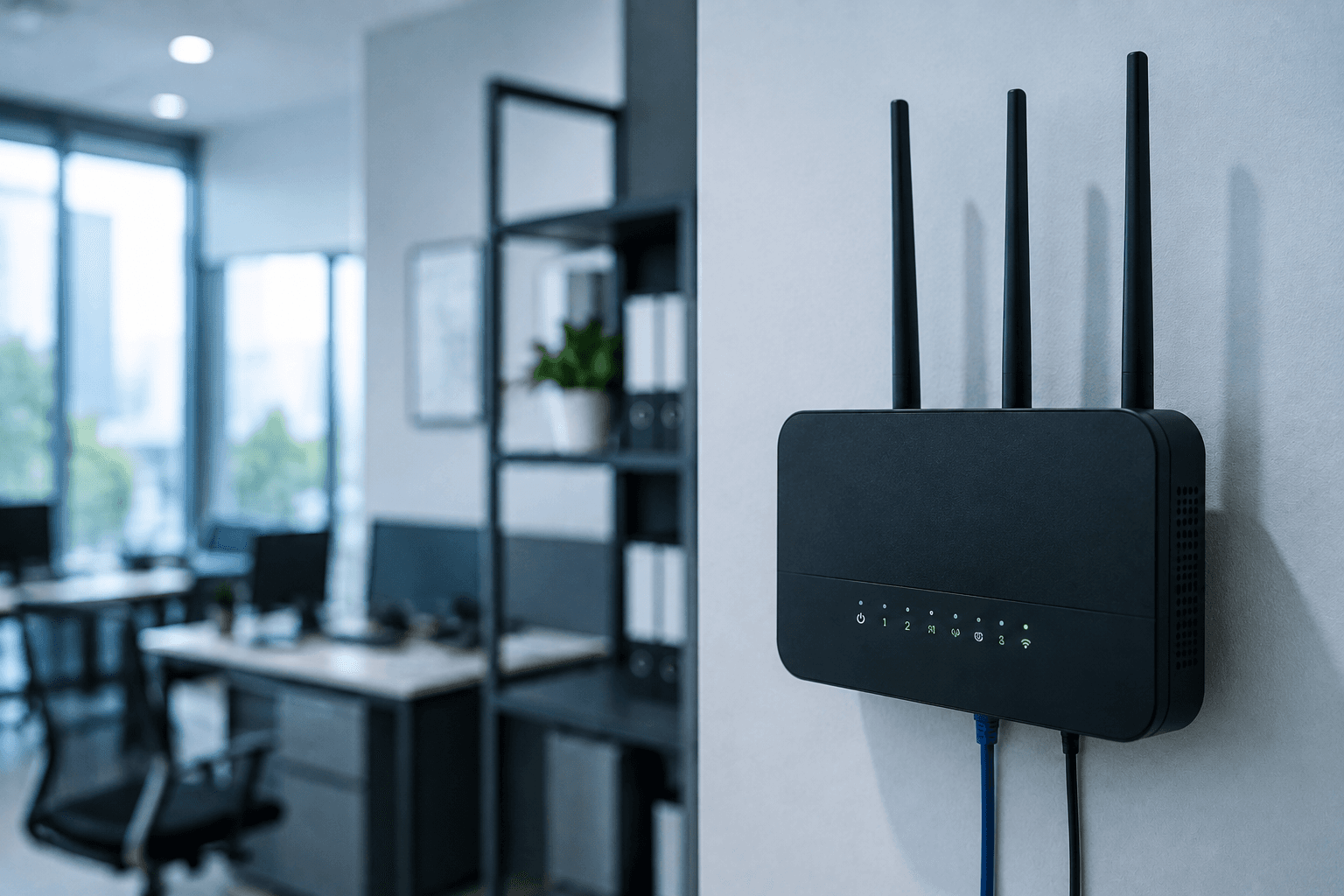
You've called your internet provider three times. They've sent two technicians. They say "everything looks fine at our end." But every afternoon, half your office can't open Gmail.
The problem usually isn't your internet line. It's your WiFi. Here's how to actually diagnose what's wrong.
Cause 1 — Your router is undersized
The cheapest mistake we see. A clinic with 12 staff, three patient PCs, a printer, and visitor phones running off a ₹1,500 router from 2019 that the previous IT guy "upgraded to" five years ago.
Consumer routers handle 5-15 simultaneous devices well. Beyond that, they choke — packet loss rises, connections drop, devices struggle to authenticate.
What "simultaneous devices" means: every laptop, smartphone, printer, CCTV camera, smart device. Walk through your office and count. A 10-person office often has 30+ devices on the network. The router can't handle that.
The fix: business-class router (TP-Link Omada, MikroTik, Ubiquiti UniFi, Cisco). ₹6,000-15,000. Designed for 50-200 simultaneous devices.
Cause 2 — Single access point trying to cover everywhere
A router in reception can't reliably reach the basement lab in a three-floor clinic. A router in the corner office can't cover the conference room at the far end. WiFi signal attenuates fast through walls, concrete, and metal.
What you'll notice: full WiFi bars near the router, weak or no signal in distant rooms, dropouts walking between areas.
The fix: add access points. Offices over 1,000 sq ft or with multiple rooms need a main router + 1-3 additional access points + mesh networking or controller-managed APs so devices roam smoothly.
Cost in Kerala 2026 for a typical 2,000 sq ft office: ₹15,000-35,000 including hardware, cabling, and installation. Detailed on our networking page.
Cause 3 — Channel interference
Every WiFi router broadcasts on a specific channel (1-11 on 2.4 GHz, various on 5 GHz). In a building with 20 other offices, you're competing for airtime.
What you'll notice: speed dropping during business hours, fine at night when neighbours are gone. Or fine in morning, slow by afternoon as everyone arrives.
The fix: business routers automatically scan and pick less congested channels. Consumer routers usually pick a channel at setup and never change. If stuck on a popular channel, you fight other networks for every packet.
5 GHz is much less crowded than 2.4 GHz. If your devices support 5 GHz (most laptops and phones made after 2015 do), prefer that band. Downside: shorter range — more access points needed.
Quick free fix: log into router settings, change WiFi channel manually to 1, 6, or 11 (on 2.4 GHz) or auto-select. Sometimes that alone solves afternoon slowness.
Cause 4 — Damaged Ethernet cabling
The cable from modem to router, or router to access points, can degrade. Cheap cabling installed poorly years ago, kinks, water damage, rodent damage, connector corrosion.
What you'll notice: random disconnects affecting everyone at once, internet "going down" then coming back. Provider says line is fine. Power-cycling helps temporarily.
The fix: replace Ethernet runs with proper Cat6, terminated correctly, run through ducts not behind desks. Detailed in structured cabling.
Cause 5 — Outdated firmware
Router firmware is the software inside your router. Manufacturers release updates fixing bugs, security holes, stability. Most office routers in Kerala have never been updated since installation.
What you'll notice: slow performance over time, weird crashes, security warnings.
The fix: log into router → Administration → Firmware Update → install latest. 5-10 minutes including restart.
If your router is more than 5 years old, the manufacturer has probably stopped releasing updates. Time to replace.
Cause 6 — ISP problems disguised as WiFi problems
Sometimes the WiFi is fine and your internet line is the problem. Telltale signs:
- Wired connection (laptop plugged into router with Ethernet) is also slow
- Speed test on wired connection shows much less than your plan
- Issue persists with multiple devices, multiple routers
- Always slow at the same times of day
In Kerala, common ISP issues: peak-hour congestion (especially 6-9 PM), copper cable degradation in older areas, last-mile fiber drops shared with too many customers.
The fix: call ISP, push for line testing. If they confirm a line issue, get it fixed or switch providers. If they keep saying "all good" but speed tests prove otherwise, switching providers is the answer.
For business-critical operations, run two ISP connections with automatic failover. We set this up for clinics, banks, and businesses with online billing.
Cause 7 — Device limits on the router
Many routers have hidden device limits — 32, 64, 128 simultaneous DHCP leases. Once exceeded, new devices can't connect, or existing devices get disconnected to make room.
What you'll notice: phones and laptops randomly losing connection, can't reconnect immediately, "internet not available" errors despite WiFi being visible.
The fix: log into router, check DHCP settings, increase the lease pool. If hardware can't handle more devices, replace with business-class supporting 200+.
How to actually diagnose
Before spending on hardware, do this 10-minute test:
- Plug a laptop directly into your modem with Ethernet. Run a speed test. Close to your plan speed? If not — ISP issue.
- Plug into your router instead. Speed test. Significantly slower? Router issue.
- Connect over WiFi from the same spot, repeat. Slower again? WiFi issue.
- Walk around the office with phone running a speed test. Map dead zones.
- Count your devices. Open router admin → connected devices. Compare to documented capacity.
From those answers, the fix is usually obvious.
When to get help
If you've done the diagnosis and the answer is "we need more access points / a business router / proper cabling" — that's where we come in.
For Kerala offices over 1,500 sq ft or 10+ staff, we do free site surveys. We measure signal coverage, count devices, identify the real cause, give a fixed-price quote in writing.
Request a site survey on WhatsApp — we cover Kottayam, Kochi, Pathanamthitta, and surrounding districts. Or learn more about how we approach office networking.
Frequently asked
Common questions on this topic.
Keep reading
More from the ITSolute blog.
Network security checklist for small offices
A practical, no-jargon checklist to secure a small office network — the settings, separations, and habits that keep your business systems safe without an enterprise budget.
Cybersecurity basics every small business should have
You don't need an enterprise security budget to be reasonably safe. The handful of cybersecurity basics that actually protect a small business — and stop the attacks that hit SMBs most.
What does structured cabling actually mean? (And why your office probably needs it)
Structured cabling isn't jargon — it's the difference between a network that ages well and a tangled mess of patches. Explained plainly.